Spotify Canvas Ideas for Upbeat Songs: A 30-Minute Plan
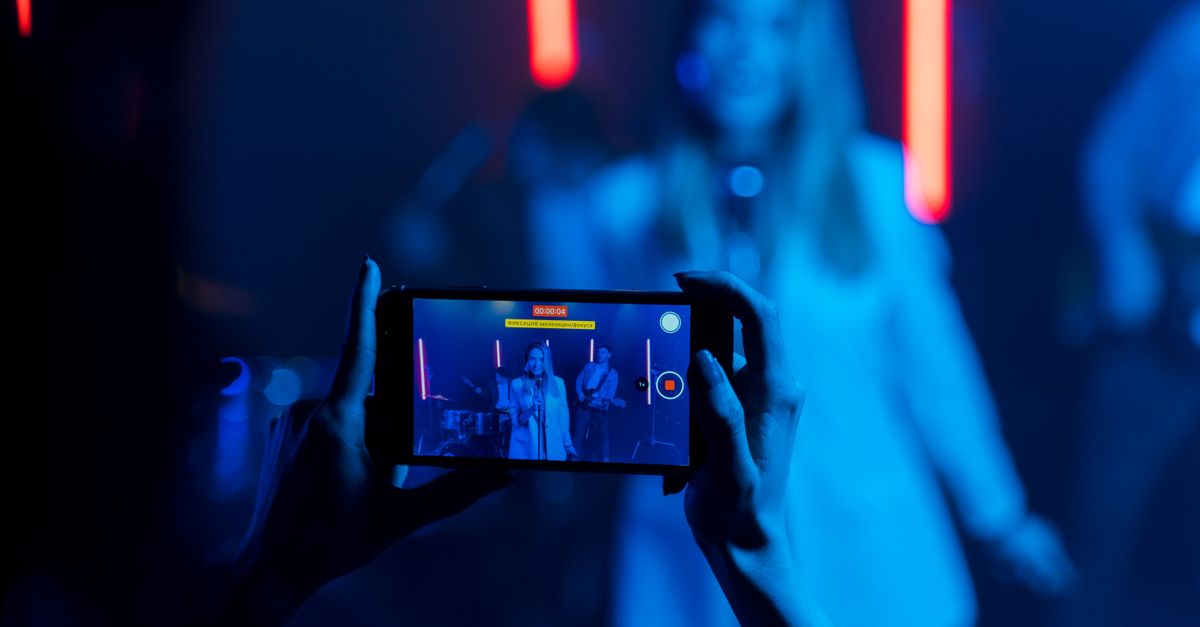
Photo from Pexels
Spotify Canvas ideas for upbeat songs can go beyond flashing colors and fast cuts. A strong visual gives the track one memorable mood: sunlit and carefree, slick and danceable, or a little rough around the edges. This 30-minute planning guide helps you choose a concept and build it with the free MakeCanvas editor’s templates and effects.
The goal isn’t to illustrate every lyric or chase every beat. Spotify describes Canvas as a visual that appears in the Now Playing view, and its official examples span 2D and 3D graphics, mixed media, video, and imagery. That range leaves plenty of room to make an upbeat track feel like your music, not a generic party clip.
Before you start: pick the song’s kind of energy
“Upbeat” can mean a lot of things. Before opening the editor, play the song once and finish this sentence: This track feels like… Keep the answer specific. “A late-night dance floor with the windows open” gives you more to work with than “fun.”
Then choose one visual direction. Here are three starting points:
- Bright indie or feel-good pop: A sunlit room, a spinning fan, a curtain moving in a breeze, or a small handheld-camera wobble. Keep the color palette warm and the movement relaxed.
- Disco, house, or dance-pop: Repeating colored light, a turning reflective object, or a single figure moving in silhouette. Let one visual change carry the groove instead of stacking effects.
- Pop-punk or high-energy rock: A close-up of a hand on an instrument, quick light shifts, or a rough paper-and-camera texture. Let the image feel tactile rather than overly polished.
Treat these as prompts, not genre rules. If your dance track feels intimate or your guitar song feels glossy, follow the song.
A 30-minute plan for upbeat Spotify Canvas ideas
Minutes 0–5: find the track’s visual cue
Listen for one moment that sums up the song’s energy: a bass entrance, a handclap, a vocal phrase, or the lift into the chorus. You’re not trying to create a shot for every musical event. You’re looking for a cue that can inspire a visual idea.
Write down three words for the feeling, such as “warm, loose, weightless” or “bright, sharp, restless.” Circle the word that feels most distinctive. That becomes your creative filter: if an image, color, or effect doesn’t support it, leave it out.
Minutes 5–10: choose one motif and one motion
Pick one main subject or motif: a mirror ball, a passing shadow, a flower in a car window, a close-up of a guitar cable, or a colored light on a wall. Then decide what changes. Does the light move? Does the subject rotate? Does the camera drift? Can a repeated gesture return to its starting position?
A useful rule is one focal point, one kind of movement, one color family. This makes the idea easier to read on a phone and keeps an energetic song from turning into a visual jumble. If you want a second element, make it support the first rather than compete with it.
Minutes 10–20: build a first version in MakeCanvas
Open the free MakeCanvas editor. Start with a template that gets close to the mood or composition you chose. A template is a starting point, not the finished identity: adjust the colors and use effects selectively to move it toward your track.
Try this order:
- Set the main visual direction first, such as warm, neon, or grainy.
- Add one effect that supports the motion or atmosphere.
- Remove any extra decoration that pulls attention away from the focal point.
- Revisit the image at small-screen scale. Can you tell what the main subject is quickly?
For a bright indie track, a warm filter plus gentle movement may say more than several competing effects. For a dance track, one repeating light change may feel more connected to the groove than a sequence of unrelated flashes. The best combination is the one that still feels like the song when the screen is small.
Minutes 20–25: check the loop, not just the opening
Play the result from different points, not only from the first frame. Does the movement feel natural when it comes around again? Is there a sudden visual jump, an accidental pause, or a moment that feels more frantic than the music?
If the concept only makes sense at its opening, simplify it. A repeating gesture, drifting camera, or shifting light can give the eye something to follow without needing a beginning-to-end story. When you test it alongside the song, listen for whether the visual’s busiest moment supports the track or distracts from it.
Minutes 25–30: make one edit, then stop
Choose the single change that would improve clarity most: reduce an effect, shift the color, slow the movement, or make the subject more prominent. Make that edit and review the result again. Avoid adding new ideas just because there’s time left. A finished, coherent visual is more useful than an unfinished collection of effects.
When you’re happy with the concept, follow Spotify’s current instructions in Spotify for Artists to add it to the right track. Spotify says eligible artists can add Canvas to tracks, including upcoming releases. For the upload steps and a separate walkthrough of the creative process, see how to make a Spotify Canvas.
Three quick concept starters to customize
If you’re stuck, choose a starter and change one detail so it belongs to your project:
- “Window-down afternoon”: A road-side reflection, fluttering fabric, or passing sunlight. Best for breezy pop and indie tracks.
- “One light, one room”: A single colored beam moving over a wall or object. Try it for house, disco, or synth-pop.
- “Backstage energy”: A close, imperfect detail from rehearsal or performance, with restrained texture. Useful for rock songs that should feel alive rather than glossy.
Make the detail personal: use a color from the release artwork, an object from your rehearsal space, or a visual motif you already use in your artist identity. That small connection helps the Canvas feel like part of the release rather than a random stock visual.
A final test for your concept
Before you settle on an idea, ask: Would this still feel right if the listener didn’t know the lyrics? If the answer is yes, the visual is probably working through mood and atmosphere instead of depending on a literal plot.
Then check that the concept is readable, has one clear kind of motion, and suits the song’s energy without trying to outshine it. If you’re also preparing a release pitch or a shareable music page, PromoLinks helps musicians create promo link pages to share and pitch their music. Keep the Canvas focused on the listening moment, and let the rest of your release materials handle the extra context.
Create a free looping canvas for your song in minutes with the MakeCanvas editor, no design skills needed. Check Spotify's official Canvas guidelines before you upload.